Key points
- Send a vector file (AI, EPS, SVG or PDF); otherwise the largest PNG you have.
- Share brand colour values (Pantone, CMYK or HEX) for accurate colour.
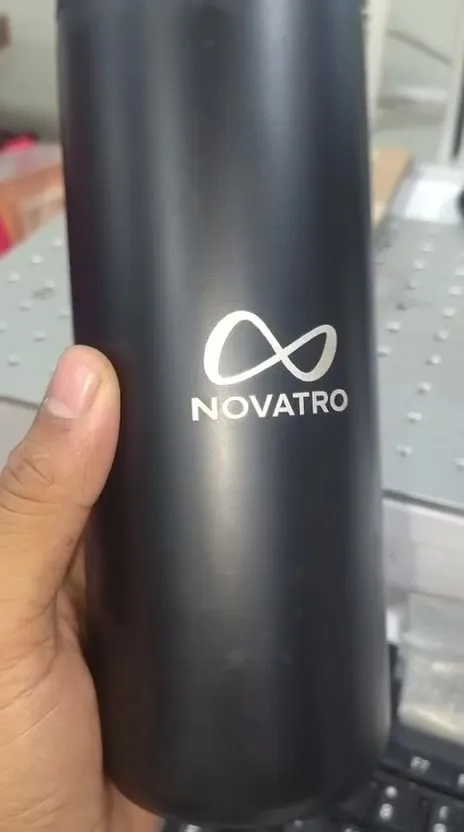
- Keep a one-colour version for laser marking and dark products.
- Use the simplest version of the logo on small items such as pens and keychains.
- Send personalised names in a spreadsheet, spelled exactly as they should print.
A sharp logo on a gift starts with a good file. Here’s what to send, and what to do if you don’t have it.
Send vector if you can
Vector files (AI, EPS, SVG, or a PDF exported from design software) are made of shapes rather than pixels, so they stay perfectly sharp at any size, on a 2 cm pen barrel or a 2 m backdrop.
Raster files (JPEG, PNG) are made of pixels. Small ones go fuzzy when enlarged. If raster is all you have, send the largest, highest-resolution version, ideally a PNG with a transparent background.
Don’t have a vector logo? Our design team can redraw it once, and then you have it for everything.
Tell us your brand colours
If your brand guidelines list Pantone, CMYK or HEX values, share them. Screens and printers show colour differently, so a named colour is the only reliable target. For colour-critical jobs, ask to see a printed sample before the full run.
Think about the surface
- Dark or clear products (black bottles, acrylic): UV printing lays down a white base so colours stay bright, but a logo designed for white paper may need a reversed or light version.
- Laser marking is single-tone. A multi-colour logo becomes one colour, so check it still reads. Many brands keep a one-colour version for exactly this.
- Fabric (DTF): very thin lines and tiny text can soften on textured fabric. Slightly bolder is safer.
Mind the size
Small products mean small logos. On a pen or keychain, fine taglines and thin strokes may not survive. Use the simplest version of your logo (often the symbol alone) for small items, and save the full lock-up for larger surfaces.
Personalised names
For personalised runs, send names in a spreadsheet, one per row, spelled exactly as they should appear. We place them on the mock-up for you to proof. It’s the fastest way to avoid a misspelt name.
Checklist
- Vector file (or the largest PNG you have)
- One-colour or reversed version, if you have one
- Brand colour values
- Any placement or size preferences
- Names in a spreadsheet, for personalised items
Send it with your quote request and we’ll come back with a mock-up.